Website Tracking with Google’s Tag Coverage Tool
Accurate tracking is essential for understanding how users interact with your website and for measuring the performance of your marketing efforts. However, tracking tags are sometimes implemented unevenly or incorrectly, which can lead to incomplete or misleading data. To help solve this problem, Google has introduced a feature called Tag Coverage, designed to help you spot gaps in your tracking implementation and ensure that your analytics are capturing everything they should.
This tool helps you check whether important tracking tags are firing correctly across your site, so you can trust your data and make better decisions based on it.
What Is Tag Coverage?
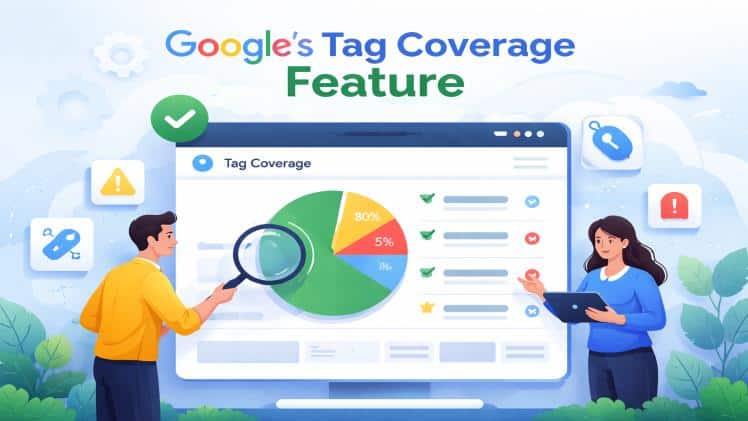
Tag Coverage is a diagnostic tool that reviews your website’s pages to see if tracking tags are present and working properly. Instead of guessing whether certain tags are firing, Tag Coverage shows you exactly where tracking is happening and where it isn’t. It highlights areas that need attention, helping you identify gaps that might be causing your analytics to underreport key user interactions.
Why Tag Coverage Matters
Websites evolve over time — pages are added, templates change, developers make updates, and sometimes tracking tags get lost in the shuffle. When tags fail or are missing, you can lose visibility into important user behavior signals such as page views, conversions, events, and campaign performance.
Without complete tracking:
- Traffic sources may be misrepresented
- Goal completions may be undercounted
- Marketing channels may appear less effective than they are
- Decisions may be based on partial or inaccurate data
Tag Coverage helps you find and fix these blind spots so your tracking data reflects the real performance of your site.
How Tag Coverage Works
The tool analyzes your website’s pages and reports where tracking tags exist and where they are missing. It checks for consistency in key tags and flags areas where tracking may be incomplete or incorrect.
When you run a Tag Coverage report, it will show:
- Pages with working tags
- Pages missing key tags
- Incomplete tag implementation
- Differences in tag behavior across templates
This makes it easier to prioritize fixes and ensure that critical pages — like landing pages and checkout flows — are being tracked accurately.
Who Can Benefit from Tag Coverage
This feature is helpful for a wide range of users, including:
- Website owners who depend on accurate analytics
- Marketers running paid and organic campaigns
- Analysts tracking visitor behavior and conversions
- Developers implementing or troubleshooting tracking scripts
Any website that uses analytics or marketing tags can benefit from improved tag coverage. For any queries, consult the top digital marketing company in USA!
Common Tracking Problems Tag Coverage Reveals
Tag Coverage can help uncover several typical issues, such as:
Missing Tracking Tags
Some pages may not have the necessary tracking tags at all, meaning activity on those pages doesn’t show up in your analytics.
Inconsistent Implementation
Tags that are present on one page may be missing or incorrectly configured on another, especially across different templates or sections of the site.
Tags Failing to Fire
Even when tags are present, they sometimes don’t trigger correctly due to script errors or conflicts with other code.
By detecting these problems early, you can ensure your data is more complete and reliable.
How to Fix Tracking Gaps
Once Tag Coverage identifies problem areas, you can take corrective action by:
- Adding missing tags to affected pages
- Standardizing tag placement across all templates
- Testing tags after site updates
- Correcting errors in tag scripts or firing conditions
Ensuring your tags are consistently implemented and firing correctly allows your analytics software to capture visitor behavior more accurately.
Benefits of Improving Tag Coverage
Better tracking leads to better insights. When your tags are correctly set up and consistently firing, you can:
Trust Your Data
Reliable tracking means your metrics truly reflect user behavior, helping you make confident decisions.
Improve Attribution
Accurate tracking helps you understand which marketing channels are driving results, so you can allocate budgets more effectively.
Optimize User Experience
Insights into visitor behavior help you identify drop-offs, popular content, and opportunities to improve conversion paths.
Measure Campaign Performance
With full tracking in place, you can see how paid, organic, social, and email marketing efforts contribute to goals.
Best Practices for Tag Management
To maintain good tag coverage over time:
- Review tracking setup after site redesigns
- Use version control or staging environments for testing
- Regularly audit tags to catch broken or missing scripts
- Educate development and marketing teams on tag standards
Consistent monitoring and maintenance ensure your analytics remain accurate even as your site evolves.
Final Words
Good analytics starts with complete and accurate tracking. Google’s Tag Coverage tool gives you visibility into the health of your tracking setup and highlights areas that need improvement. By addressing gaps and ensuring tags are working properly across all pages, you can trust your data and make smarter decisions that drive better outcomes for your site and business.
Keeping an eye on tag coverage should be part of your regular tracking and analytics workflow, so you can spot issues early and maintain a strong foundation for data-driven growth.